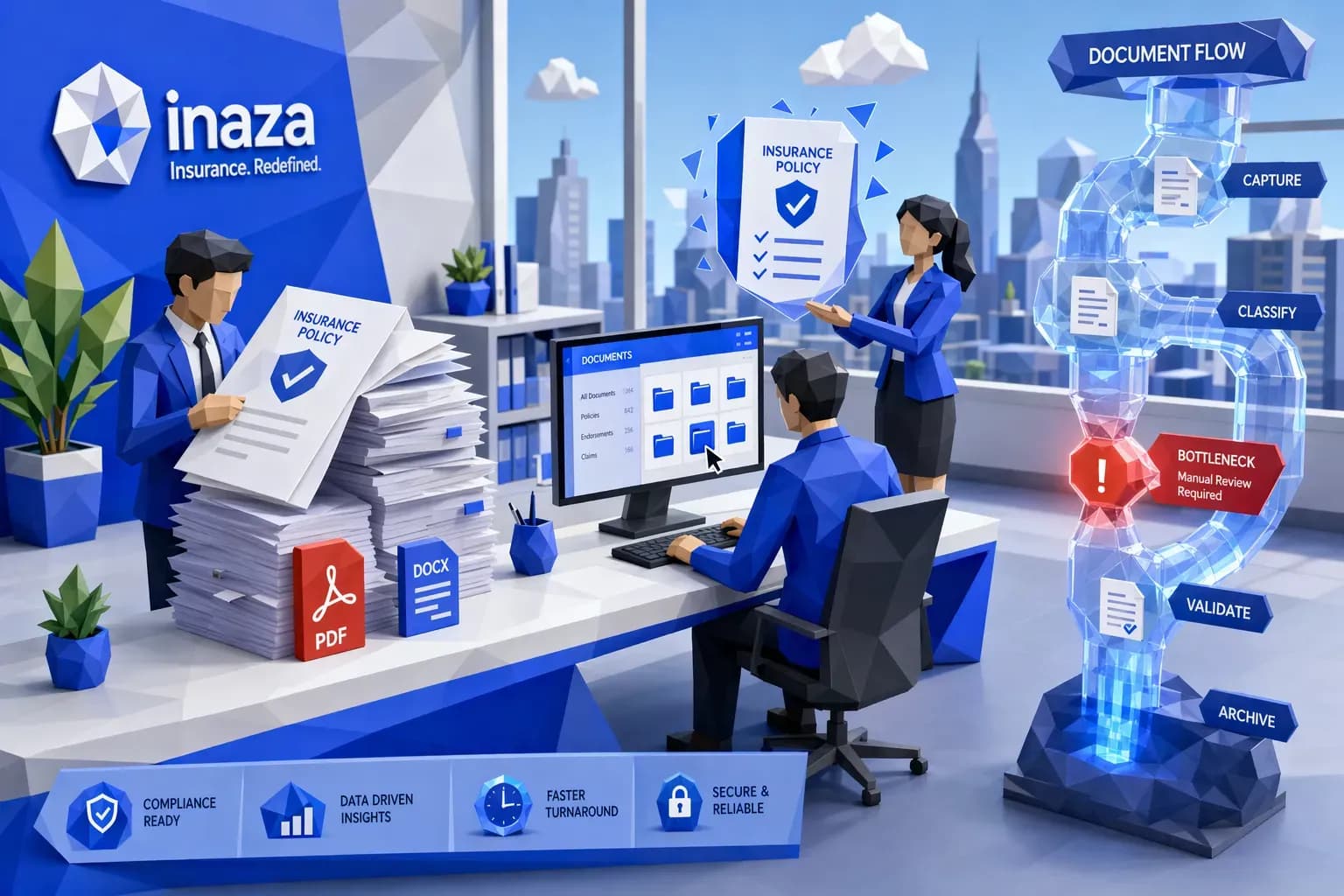
Insurance documentation bottlenecks rarely look like “a documentation problem” on the surface. They show up as quote abandonment, slow endorsements, reopened claims, duplicate follow-ups, surprise compliance findings, and underwriters and adjusters spending prime hours chasing missing PDFs.
The good news is that these bottlenecks are fixable without ripping out core systems. The fastest teams treat insurance documentation as a workflow and data problem, not as a filing problem.
What an insurance documentation bottleneck actually is
A documentation bottleneck happens when documents and unstructured messages (PDFs, emails, images, scans, spreadsheets, medical bills, demand packages) arrive faster than your organization can:
- Identify what they are
- Extract what matters
- Validate completeness and consistency
- Route to the right queue with context
- Produce an audit trail
In P&C operations, the bottleneck typically sits in one (or more) of these transition points:
- Intake to triage: “What is this document and which policy/claim/submission does it belong to?”
- Triage to data: “Where do we key it, and how do we avoid re-keying it later?”
- Data to decision: “Do we have enough verified information to bind, pay, deny, or escalate?”
- Decision to evidence: “Can we prove what we did, when we did it, and why?”
The fastest way to spot documentation bottlenecks is to follow the work, not the org chart.

Why insurance documentation gets stuck (root causes)
Most documentation slowdowns come from a handful of repeatable causes.
1) Channel sprawl creates duplicates and broken context
Submissions, endorsements, and claims artifacts arrive via:
- Broker emails and shared mailboxes
- Portals
- FNOL phone calls and chat
- Third-party uploads
- Vendor feeds
When the same artifact arrives twice (or arrives once with slightly different filenames), teams burn time on de-duplication, re-indexing, and “which version is final?” decisions.
2) “Document-first” processes that never become “data-first”
If your process ends at “PDF stored in the document management system,” your downstream teams still have to read, interpret, and key.
That creates a predictable chain reaction:
- Manual keying n- More touches
- More errors
- More rework
- Longer cycle times
3) Missing fields and back-and-forth follow-ups
A surprising amount of delay is not caused by complex decisions, but by incomplete packages:
- Loss runs missing evaluation dates
- Fleet schedules missing VINs
- Claims invoices missing tax IDs or itemization
- Attorney demands missing medical timelines or prior treatment
Every follow-up is a micro-interruption that breaks flow and adds queue time.
4) Legacy integration patterns that force re-keying
Even if a team extracts information successfully, they often still need to re-enter it because the system of record cannot accept structured inputs cleanly, or because mapping was never formalized.
5) Compliance requirements increase the “evidence burden”
Regulators and auditors do not just want outcomes. They want:
- Source artifacts
- Time-stamped logs
- Consistent decisions
- Clear rationale
If documentation processing is informal, audit preparation becomes a second bottleneck.
Step 1: Diagnose the bottleneck with three measurements
Before you automate anything, measure the work in a way that reveals where time is actually lost.
Document cycle time (DCT)
Track time from first receipt to decision-ready (not “uploaded to a folder”). Break it down into:
- Waiting time (queue)
- Touch time (human effort)
Touches per item
Count the number of times a person has to:
- Open the file
- Re-label it
- Move it
- Re-enter it
- Ask for more info
Reducing touches is usually the simplest path to ROI.
Exception rate and top exception reasons
Do not just track “exceptions.” Track why:
- Missing fields
- Conflicting values (VIN mismatch, garaging mismatch)
- Illegible scans
- Duplicates
- Unmatched policy/claim IDs
This becomes your automation backlog, prioritized by frequency.
Step 2: Fix the bottleneck using a workflow-and-data playbook
The most effective approach is a layered design: standardize, structure, validate, route, and learn.
Standardize what “complete” means (by event)
Define documentation requirements as event-based packages, not as ad hoc checklists. Examples:
- New business submission package
- Mid-term endorsement package
- FNOL package
- Attorney demand package
- Reinsurance reporting package
Each package should have:
- Required artifacts
- Required fields (data) derived from those artifacts
- Allowed formats
- SLA targets
- Escalation rules
This is where you prevent the “infinite follow-up loop.”
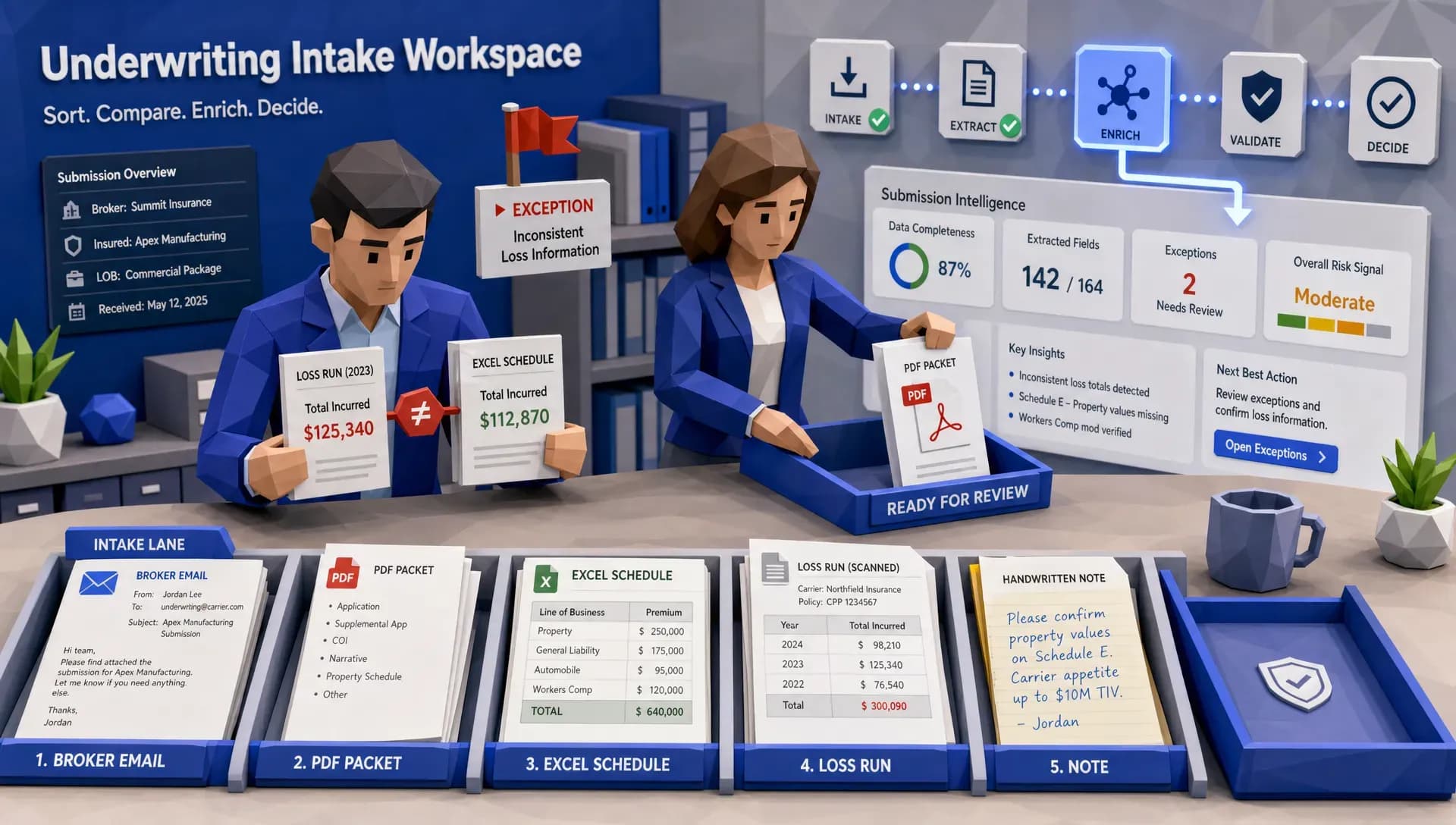
Build intelligent intake (classification + de-dup + linking)
A strong intake layer should automatically:
- Classify document type (loss run, fleet schedule, invoice, ID, estimate, demand letter)
- Detect duplicates and near-duplicates
- Link items to the right policy/claim/submission even when identifiers are messy
If you do not solve linking early, you create downstream chaos. Intake is where straight-through processing either starts, or it never starts.
Convert documentation into structured data (not just text)
To remove bottlenecks, extraction has to produce decision-ready fields, not a blob of OCR output.
Practical examples:
- Loss run: claim dates, status, paid, reserves, cause of loss, claimant, litigation flags
- Invoice: vendor identity, service dates, line items, totals, anomalies
- Demand package: injuries, treatment dates, venue, policy limits references, narrative signals
This is also where “supports all file types” matters, because teams do not control what brokers and claimants send.
If you want more depth on designing the end-to-end handoff from documents to action, see Inaza’s guide on document intake to decision.
Validate and enrich automatically (rules + third-party APIs)
Extraction alone does not eliminate rework. Validation does.
High-impact validation patterns include:
- Cross-field consistency (driver count vs. vehicle count, garaging vs. territory)
- Completeness checks (missing VINs, missing signatures, missing itemization)
- Reasonableness checks (invoice totals vs. historical norms)
- Identity and eligibility checks
Enrichment turns partial packages into complete decisioning inputs. In insurance, that often means pulling third-party data through APIs (for example, property and vehicle data, claims history, risk signals). A major accelerant is having pre-built API templates ready so workflows can be enriched without custom integration every time.
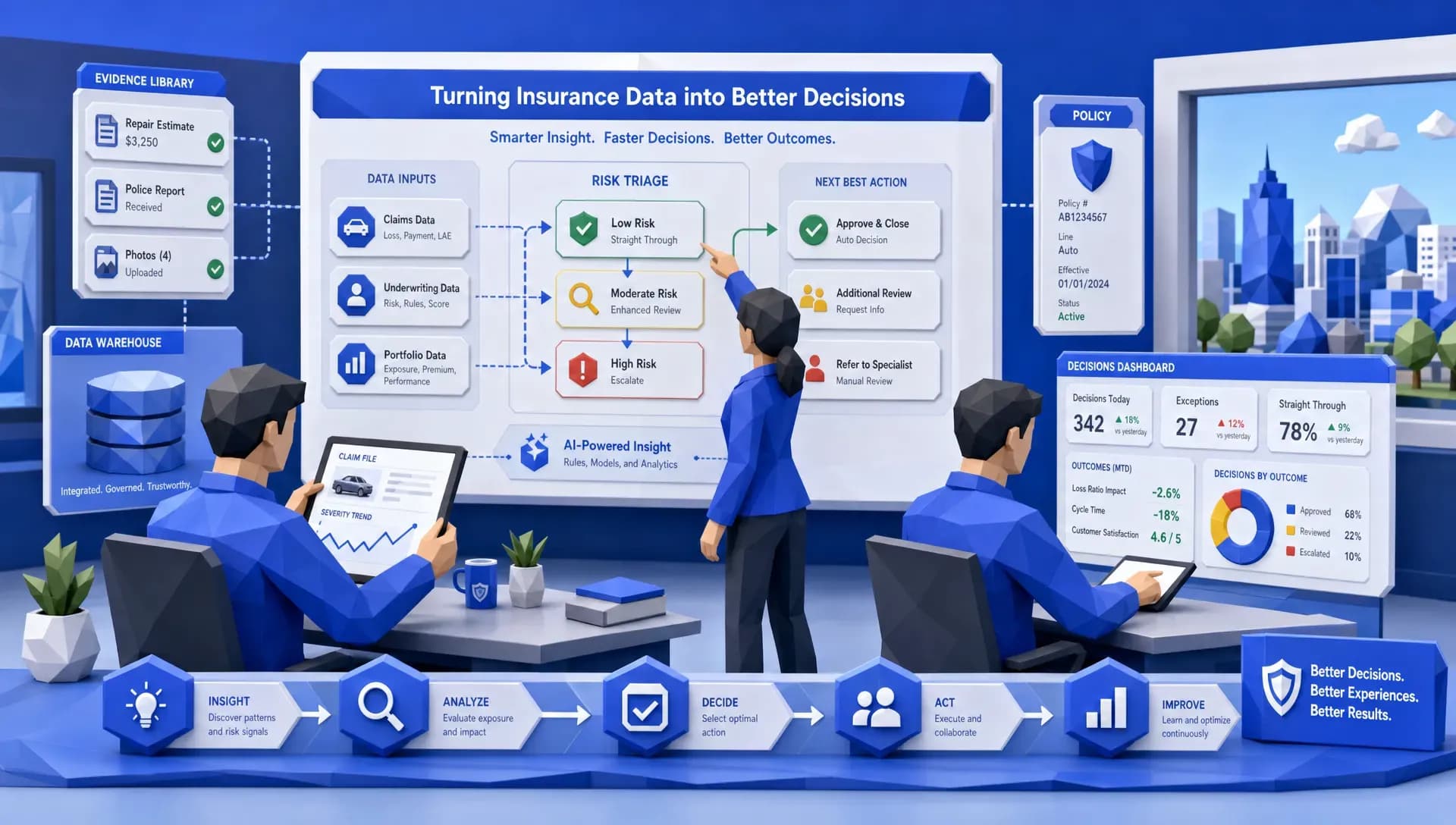
Route with explainability and human-in-the-loop guardrails
The goal is not “automate everything.” The goal is:
- Automate the predictable work
- Escalate the ambiguous work with context
Good routing decisions include:
- Straight-through to bind/pay when confidence and validation are high
- Route to specialists when exceptions trigger (fraud indicators, litigation indicators, coverage ambiguity)
- Capture “why” in the case record so the audit trail is automatic
This is where human oversight remains a feature, not a failure mode.
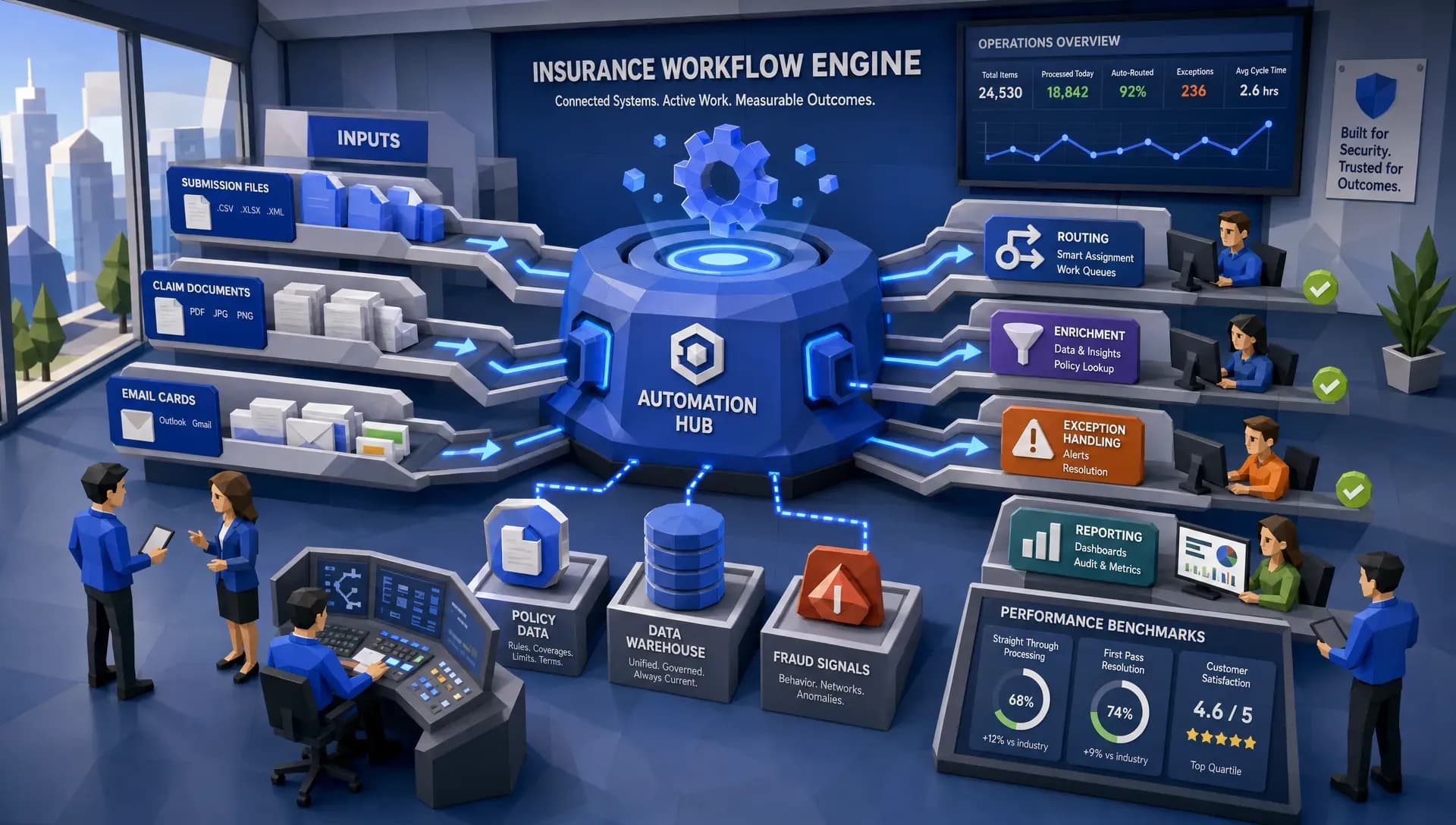
Instrument everything in a unified data warehouse
Documentation bottlenecks keep coming back when automation is treated like a one-off script.
A unified data warehouse underneath the workflows lets you:
- Track cycle time and exceptions by product, broker, geography, vendor, adjuster team
- Identify which document types drive the most rework
- Monitor leakage and compliance risk signals
- Build dashboards that operations leaders and frontline teams can share
It also makes benchmarking possible, which changes the conversation from “we feel slow” to “we are slower than market on these specific steps.”
For related thinking on visibility, see operations observability.
Step 3: Start with one high-volume workflow (30-day plan)
Documentation improvements compound, but they start with a single workflow you can fully close.
Choose a workflow with:
- High volume
- High rework
- Clear definitions of “complete”
- Easy measurements (cycle time, touches, exception rate)
Common starting points for carriers, MGAs, and brokers include:
- Loss run intake and extraction
- Fleet schedule validation
- Claims invoice intake and review
- Shared mailbox triage for endorsements and servicing
Once your first workflow is stable, reuse the same patterns (classification, extraction, validation, routing, audit trail) for the next.
Metrics that prove you fixed the bottleneck
Avoid vanity metrics like “documents processed.” Tie metrics to outcomes.
- Decision-ready turnaround time: submission received to quote issued, FNOL received to triage complete, demand received to first action
- Touches per file: target consistent reductions
- Reopen / rework rate: how often cases bounce back due to missing or incorrect documentation
- Exception concentration: top 3 exception reasons over time (these should shrink)
- Downstream impact: quote abandonment, claim cycle time, expense ratio pressure, compliance findings
Common mistakes to avoid
Automating around bad definitions
If “complete” is subjective, automation will amplify inconsistency. Standardize requirements first.
If intake automation is not connected to downstream systems, you just move the bottleneck. Integration and data capture matter as much as extraction.
Skipping auditability
Insurance documentation is not only operational, it is evidentiary. If automated decisions cannot be explained, teams will revert to manual work.
Treating documentation as separate from payments and reconciliation
In many workflows, documentation bottlenecks delay financial actions (claim payouts, refunds, vendor payments) because the file is not “payment-ready.” Other industries solve similar issues by centralizing payment methods and reconciliation so finance is not waiting on scattered artifacts. For a non-insurance example, travel agencies use platforms like centralized payment and reconciliation to reduce back-office friction when multiple payment types and compliance constraints intersect.
Where Inaza fits when documentation is the constraint
If your biggest constraint is documentation throughput, the platform you choose should make it easy to go from “idea” to “production workflow” quickly, while capturing the data exhaust for analytics.
Based on Inaza’s approach, three capabilities are especially relevant to fixing insurance documentation bottlenecks:
- Rapid deployment of production-ready workflows (without prolonged PoC back-and-forth)
- Workflow automation plus a unified data warehouse so every extraction, validation, and exception becomes measurable
- Pre-built API templates and benchmarks so automations can be enriched and compared to market performance
If you are designing scalable document operations across policy and claims, you may also find this useful: how to build a scalable policy document workflow.

Frequently Asked Questions
What are the most common causes of insurance documentation bottlenecks? The most common causes are fragmented intake channels (email, portal, fax), unstructured file formats, manual re-keying into core systems, incomplete packages that trigger follow-ups, and weak linking of documents to the correct policy or claim.
How do you measure an insurance documentation bottleneck? Measure decision-ready document cycle time, touches per item, and exception rate with specific exception reasons (missing fields, mismatches, duplicates, unreadable scans). These three metrics usually pinpoint where time and rework accumulate.
Can we fix documentation bottlenecks without replacing our core systems? Yes. Most teams fix bottlenecks by layering an intake, extraction, validation, and routing workflow on top of existing systems, then integrating outputs back into systems of record. The key is to make outputs structured and auditable.
Which workflow should we automate first? Start with a high-volume workflow where “complete” is definable and where rework is frequent, such as loss run processing, fleet schedule validation, claims invoice review, or endorsement servicing from shared mailboxes.
How do you keep automation compliant and audit-ready? Use clear package definitions, automated validation, time-stamped logs, explainable routing decisions, and consistent data lineage from source document to extracted fields to final action.
Fix documentation bottlenecks with workflow-first insurance automation
If documentation is slowing your underwriting, claims, or policy servicing teams, the highest-leverage move is to turn inbound files into validated, decision-ready data, then capture every input and output for analytics.
Inaza’s AI-powered insurance automation platform is designed to integrate with existing systems, deploy customizable workflows quickly, and warehouse the data produced by those workflows so you can measure cycle time, exceptions, and performance against benchmarks.
Explore Inaza at inaza.com to see how workflow automation plus unified analytics can remove documentation bottlenecks across underwriting and claims.