Speed is a competitive advantage in insurance, but only if it comes with accuracy. Moving a submission or claim faster does not help if it creates downstream rework, leakage, disputes, or regulatory exposure. That is why the most valuable AI insurance tools are the ones that remove manual touches while improving data quality and decision consistency.
This article breaks down how modern AI improves both speed and accuracy across underwriting, claims, and service operations, and what to look for when you evaluate solutions.
Speed and accuracy, defined the way insurers feel them
In practice, “speed” is not just cycle time. It is the elimination of avoidable friction:
- Fewer handoffs between teams
- Fewer follow-up emails for missing information
- Less re-keying from PDFs, spreadsheets, photos, and portals
- Faster routing to the right queue the first time
“Accuracy” is not just whether a field was extracted correctly. It is whether decisions are consistent, explainable, and defensible:
- Correct rating inputs (prevent premium leakage)
- Correct coverage eligibility and compliance checks
- Correct claim classification and reserve guidance
- Lower false positives in fraud flags (so SIU time goes to the right cases)
AI works when it improves the full loop, not a single step.
Where delays and errors actually come from
Most operational slowdowns in P&C workflows come from a few repeating patterns:
Submissions arrive as broker emails, ACORDs, loss runs, fleet schedules, police reports, medical notes, invoices, and photos. Even when the information exists, it is often locked in formats that require a human to interpret and re-enter it.
Data fragmentation across systems
Core systems, CRMs, claims systems, document stores, and third-party data sources often sit in separate silos. That creates duplication (the same data typed multiple times) and inconsistency (different versions of “truth”).
Inconsistent rules and tribal knowledge
When eligibility, appetite, and claim handling rules live in people’s heads or scattered SOP documents, two similar files can get two different outcomes. That is slow (because it requires escalations) and inaccurate (because it increases variance).
Exceptions that are not designed into the workflow
Automation fails when it assumes all cases are identical. Insurance has edge cases, and high-performing teams design for them with clear human oversight paths.
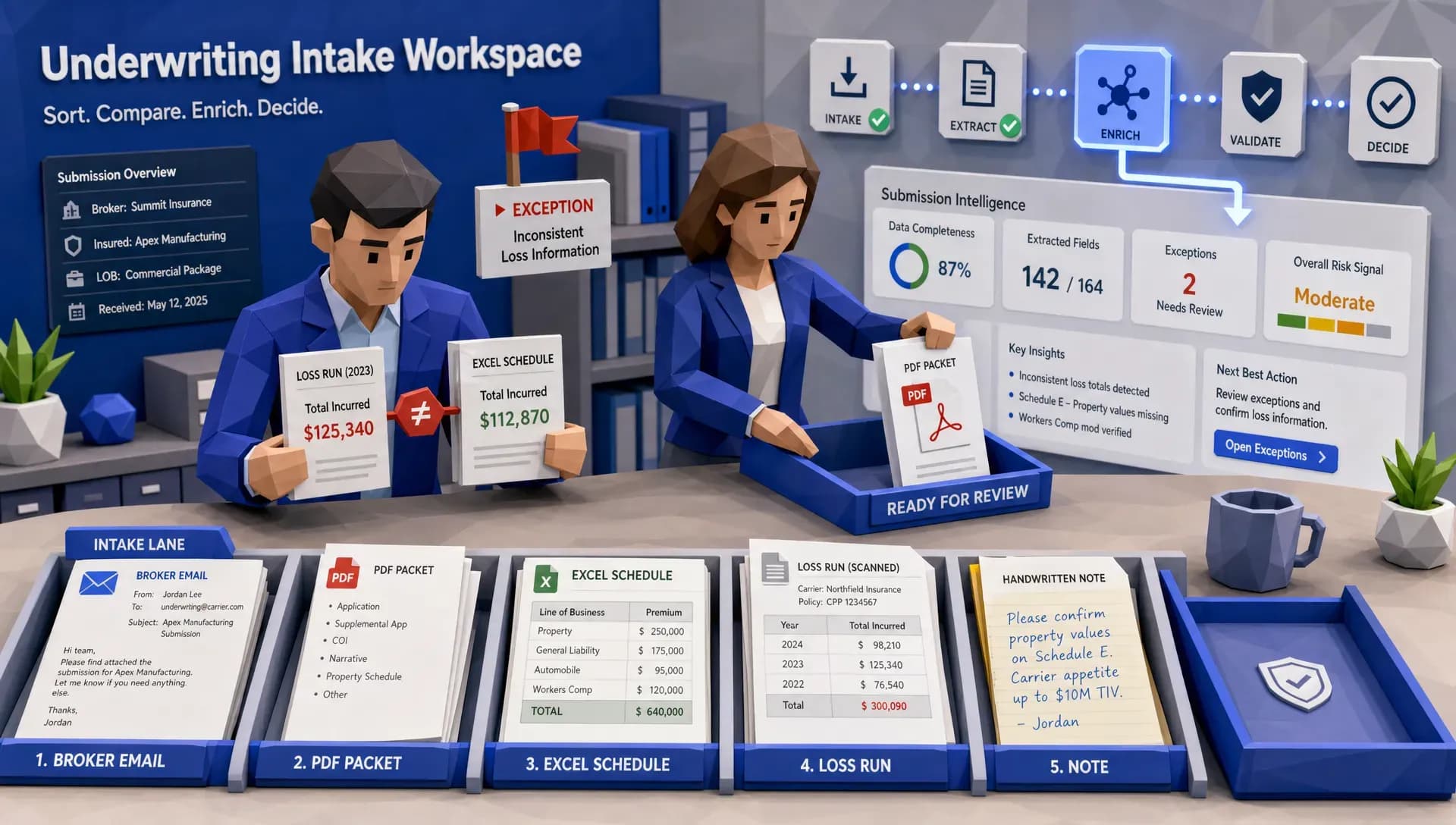
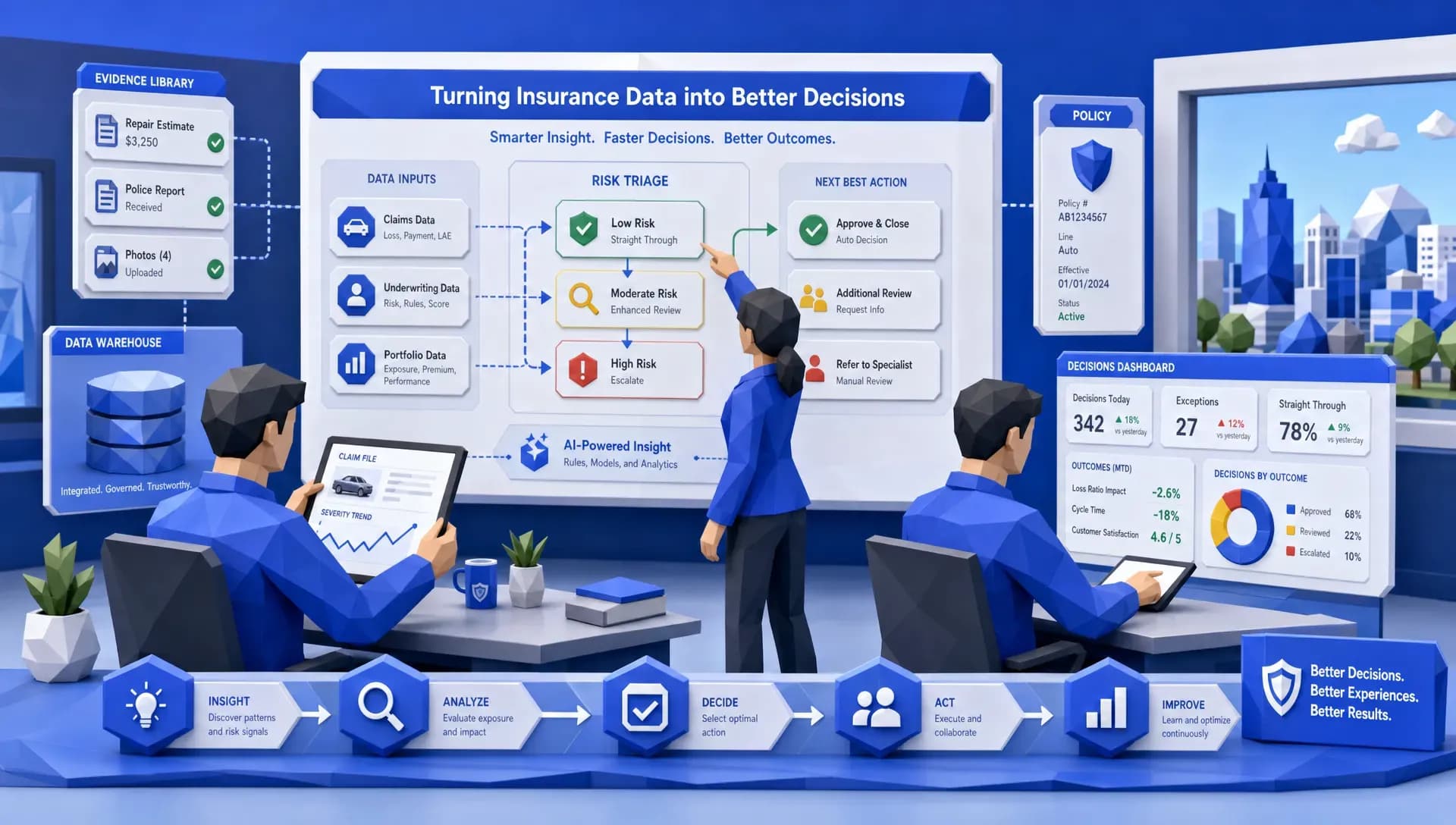
The highest-ROI AI tools in insurance typically follow a shared operating model: intake, validate, enrich, route, decide, learn.

1) Intelligent intake turns “documents” into usable data
AI-powered document understanding (often called intelligent document processing) can extract data from PDFs, scans, and emails using OCR plus language models and layout understanding.
Speed gain: less manual transcription, fewer backlogs.
Accuracy gain: standardized extraction reduces human variability and fatigue errors (especially on repetitive, high-volume work).
Where it shows up:
- Loss run extraction and normalization for quoting
- Fleet schedule parsing from messy spreadsheets
- FNOL intake from chat, voice, and email
- Invoice and demand package parsing
2) Automated validation catches issues before they become rework
Extraction alone is not enough. The next step is validation, the logic that ensures fields make sense together.
Examples:
- VIN format is valid, and vehicle year/make/model are consistent
- Garaging ZIP aligns with state filings and territory logic
- Named insured matches documents and prior policy records
- Claim photos metadata or timestamps align with the reported loss window
Speed gain: fewer “please resend” loops.
Accuracy gain: fewer bad records make it into rating, reserving, and analytics.
3) Real-time enrichment fills the gaps without asking the customer
A major reason underwriting and claims slow down is missing context. AI insurance tools increasingly use API-driven enrichment to pull data from trusted sources (for example, property intelligence, vehicle data, prior loss indicators, or identity and fraud signals).
Speed gain: the file becomes decision-ready earlier.
Accuracy gain: fewer self-reported errors, better segmentation, and fewer mispriced policies.
4) Automated triage and routing reduces queue waste
Once data is structured, AI can classify the work item and route it based on risk, complexity, and urgency.
Examples:
- Send clean, low-risk submissions to straight-through workflows
- Route potential fraud or coverage mismatch to SIU or senior adjusters
- Prioritize claims with rental exposure or claimant hardship indicators
Speed gain: fewer misroutes and fewer touches per file.
Accuracy gain: specialists spend time where judgment matters.
5) Decision support improves consistency (without pretending AI replaces expertise)
In underwriting, this might mean risk scoring, appetite matching, or surfacing “missing doc” requirements instantly. In claims, it can mean damage severity estimation, reserve suggestions, or litigation risk indicators.
Speed gain: faster decisions on routine work.
Accuracy gain: decisions align more closely to policy rules and historical outcomes.
6) Human-in-the-loop keeps sensitive workflows safe
The best teams use AI to handle volume and consistency, then reserve human review for:
- High-severity bodily injury
- Coverage disputes
- Complex commercial risks
- Fraud investigations
- Vulnerable customer interactions
That hybrid design is often the difference between “automation” and sustainable automation.
What this looks like across underwriting, claims, and service
Rather than focusing on one department, it helps to map where speed and accuracy compound.
Underwriting: faster quote-to-bind with fewer corrections
AI tools accelerate underwriting when they:
- Turn broker emails and attachments into structured submission data
- Validate against underwriting rules before an underwriter opens the file
- Enrich for risk signals without delaying the broker
- Produce an auditable record of what data was used
If you are an MGA or carrier team dealing with commercial auto or fleet, the biggest wins often come from eliminating spreadsheet chaos and reducing “touches per submission.”
Claims: faster FNOL and better early triage
AI improves claims speed and accuracy most at the front of the funnel:
- Capture FNOL via chat or voice with consistent scripts
- Auto-request missing documents immediately
- Screen for image manipulation or invoice anomalies early
- Route complex claims to the right handlers fast
The operational value is not just faster payouts. It is fewer reopenings, fewer supplements, fewer disputes, and better customer communication.
Customer service: faster answers with better context
Service workflows speed up when AI can interpret inbound emails and messages, identify intent, and connect the request to the correct policy or claim context.
This is similar to how non-insurance teams streamline operations with unified platforms that combine tasks, workflows, and reporting. For a simple example outside insurance, an all-in-one business management platform like Dr. CRM centralizes customer relationships, invoicing, and reporting so teams do not lose time across disconnected tools. Insurance has different compliance and data requirements, but the operational principle is the same: centralize context, automate routing, and measure outcomes.
The accuracy side: what separates “fast AI” from trustworthy AI
For regulated workflows, accuracy must also be provable. When evaluating AI insurance tools, look for these system behaviors.
Explainability and audit trails
You need to answer questions like:
- What data was used to make or support this decision?
- What transformations happened (extraction, normalization, enrichment)?
- Which workflow version ran, and when?
- What did the AI recommend vs what the human decided?
Frameworks like the NIST AI Risk Management Framework are helpful as a reference point, especially for governance and ongoing monitoring.
Monitoring, drift detection, and feedback loops
Insurance data changes over time (fraud patterns, repair costs, driving behavior, weather severity). AI tools need monitoring so performance does not silently degrade.
Strong data governance and security
Speed cannot come at the cost of privacy controls, least-privilege access, and retention policies, especially when PII and claims data are involved.

The KPIs that prove speed and accuracy improved (and not just shifted)
If you measure the right things, it becomes obvious whether AI is working.
A practical KPI set includes:
- Cycle time (submission-to-quote, FNOL-to-triage, claim-to-settlement)
- Touches per file (and which touches are avoidable)
- Rework rate (reopened claims, re-quoted submissions, correction volume)
- Data completeness at intake (how often you need follow-ups)
- Exception rate (what percentage needs human review, and why)
- Leakage indicators (missed surcharges, misapplied discounts, rating corrections)
- Fraud signal precision (are SIU flags producing real outcomes)
Many teams get stuck in pilots because the tool is not designed for production workflows. A buying checklist that aligns to speed and accuracy looks like this:
- Can you deploy and modify workflows quickly, without months of back-and-forth?
- Does it integrate with your existing systems (core, claims, CRM, document stores) rather than forcing replacement?
- Does it support the file types you actually receive (email, PDF, Excel, images, mixed packets)?
- Is there a built-in data layer so extracted and validated fields are reusable for analytics?
- Can you enrich via APIs easily, using templates or connectors?
- Are audit trails and explainability native features, not add-ons?
- Can you benchmark performance across teams, products, or time periods?
Where Inaza fits (for teams that want speed and accuracy, plus measurable control)
Inaza is built around the idea that workflow automation is only the start. The platform combines:
- AI-powered automation across underwriting, claims, and operations
- A unified data warehouse that captures the structured outputs of automation
- Pre-built API templates to enrich workflows (with providers such as Verisk, LexisNexis, HazardHub, and others)
- Real-time dashboards, plus the ability to build custom reporting
- Industry benchmarks embedded in the system (including benchmarks such as Aon, Munich Re, and Howden)
A key differentiator is deployment speed: Inaza is designed so insurers can deploy a production-ready workflow on a single call, rather than getting stuck in long proof-of-concept loops.
Frequently Asked Questions
Do AI insurance tools reduce headcount? Most insurers use AI to absorb volume, reduce backlogs, and improve consistency, then redeploy experienced staff to complex risks, negotiations, and sensitive claims.
How do you improve speed without increasing compliance risk? Use workflows with embedded validation, explainable decision support, and audit logs. Pair automation with human-in-the-loop escalation paths for exceptions.
What is the fastest place to start for measurable results? High-volume intake steps: submission triage, loss run extraction, FNOL intake, invoice review, and email routing. These tend to reduce touches quickly.
How do you know if AI is improving accuracy and not just moving errors downstream? Track rework rate, correction volume, reopened claims, exception reasons, and leakage signals, not just surface-level extraction accuracy.
Can AI tools integrate with legacy core systems? Yes, many modern platforms are designed to integrate via APIs and workflow layers, so you can automate around legacy systems rather than replacing them immediately.
See what faster, more accurate insurance operations looks like
If you want to improve speed and accuracy without a rip-and-replace transformation, explore how Inaza’s AI-powered workflows and connected data platform can automate intake, validation, enrichment, routing, and reporting across underwriting and claims.
Learn more at Inaza and request a walkthrough tailored to your highest-volume workflow.