Here is my hot take after a decade around commercial insurance operations: the first thing commercial insurance software should automate is not pricing, not binding, and not some grand “digital transformation” vision that looks lovely in a board deck.
It should automate the messy work before the expert gets involved.
That sounds less glamorous, I know. Nobody gets a standing ovation for saying, “We finally stopped copying vehicle schedules from PDFs into three different systems.” But if you have ever watched an underwriter spend half a morning chasing missing loss runs, or a claims adjuster reopen the same email thread six times because the police report arrived as a sideways scan, you know where the money leaks out.
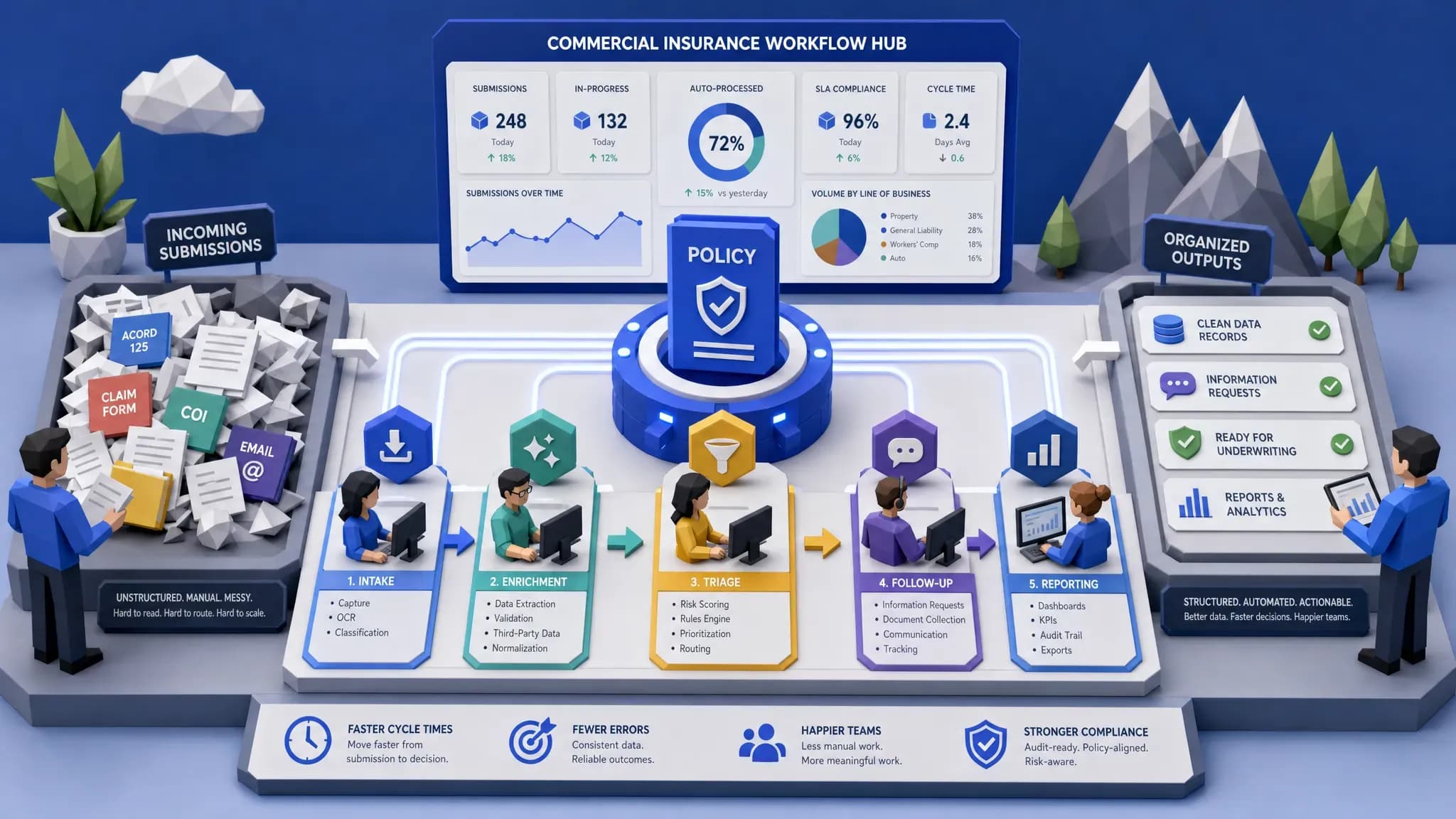
The best automation projects start where the work is repetitive, high-volume, document-heavy, and easy to measure. In commercial insurance, that usually means intake, data capture, enrichment, triage, follow-ups, and reporting. Automate those first, and the fancy stuff has a chance. Skip them, and your shiny software becomes another tab people forget to open.
Start with intake, because bad intake poisons everything downstream
If I had to pick one workflow to automate first, I would choose submission intake.
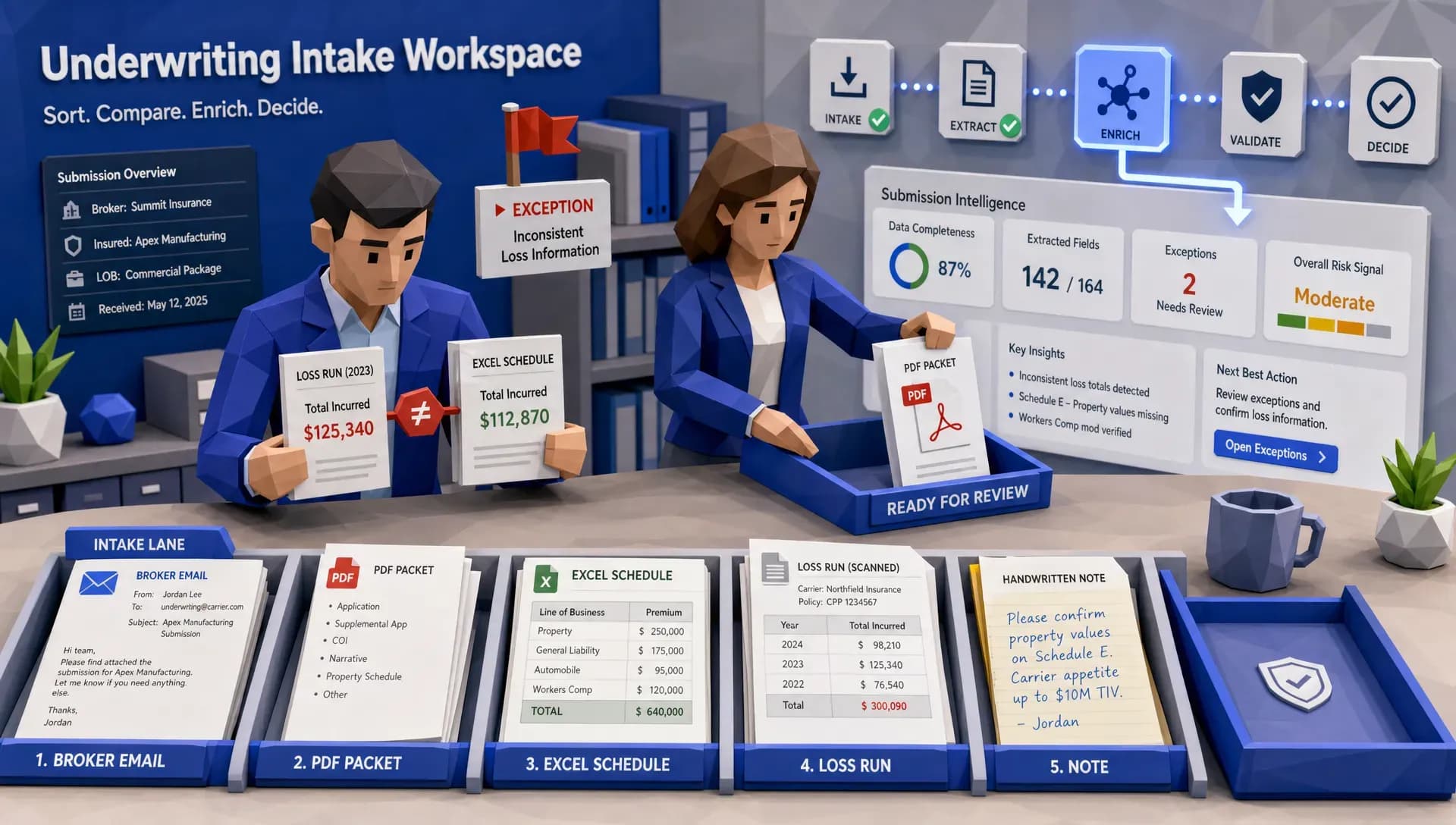
Commercial submissions are still a buffet of ACORD forms, broker emails, PDFs, spreadsheets, SOVs, loss runs, vehicle schedules, driver lists, photos, payroll data, and the occasional document named “final_final_USE_THIS_ONE.pdf.” I once saw a fleet submission arrive with 11 attachments, two conflicting vehicle counts, and a note from the broker saying, “Should be straightforward.” Reader, it was not straightforward.
The problem is not that underwriters cannot assess risk. The problem is that they are forced to become document detectives before they can assess risk. McKinsey has written about insurance automation as a way to reduce administrative drag and free specialists to focus on higher-value judgment. That tracks with what I have seen on the ground. Many underwriting teams are not short on talent. They are short on clean, usable information at the right moment.
Good commercial insurance software should automatically recognize incoming submissions, extract key fields, classify documents, flag missing information, and create a structured record before an underwriter touches the account. That does not mean removing judgment. It means letting underwriters start at the risk question instead of the scavenger hunt.
The first win is simple: when a submission arrives, the system should answer a few basic questions immediately. What line of business is this? Who is the insured? What documents came in? What is missing? Does it match appetite? Has this broker sent us similar business before? Are there red flags that require referral?
If your software cannot do that, automating the quote is like installing a sports engine in a shopping cart.
Automate data enrichment before you automate decisions
The second priority is data enrichment. This is where many insurers get the order wrong. They want commercial insurance software to make better decisions, but the software is working with partial, stale, or manually keyed data.
Before you ask a system to recommend action, make sure it can pull in the right context. For commercial auto, that might mean VIN details, garaging data, driver information, loss history, jurisdictional signals, and third-party risk scores. For property, it might mean location attributes, hazard data, construction details, occupancy, protection class, flood or wildfire exposure, and claims history. For casualty, it may be payroll, class codes, operations descriptions, prior losses, and policy terms.
This is also where integrations matter. If your team has to leave the underwriting screen, log into another portal, copy a value, paste it into a spreadsheet, then re-enter it into the core system, you have not created a modern workflow. You have created a gym membership for your fingertips.
Inaza’s platform includes pre-built API templates for data sources such as Verisk, LexisNexis, HazardHub, and others, which matters because enrichment should happen inside the workflow, not as a side quest. The point is not to drown underwriters in more data. The point is to bring back the right data at the exact step where it changes the decision.
For a deeper commercial auto example, the logic is very similar to the argument we make in why commercial auto insurance automation beats re-keying: once you stop manually moving data around, you can validate it, enrich it, route it, and learn from it.
Triage should come before full automation
The phrase “straight-through processing” makes executives lean forward. I get it. It sounds efficient, clean, and wonderfully CFO-friendly.
But in commercial insurance, the better first move is often triage.
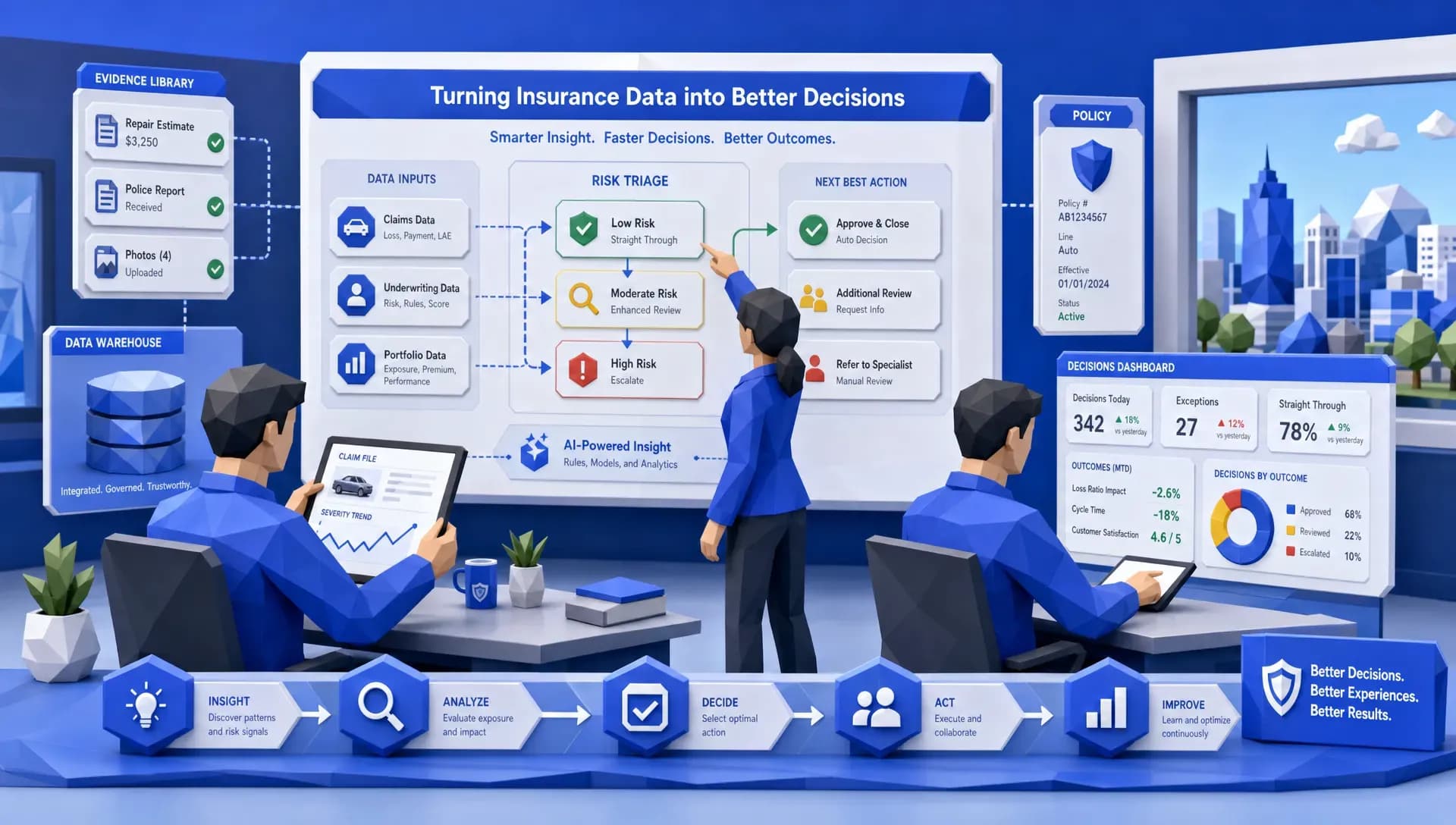
Most portfolios have a mix of easy accounts, borderline accounts, and messy accounts that need human attention. If software can separate those reliably, you have already improved speed, consistency, and morale. You do not need every submission to bind automatically on day one. You need the easy ones to move faster, the unattractive ones to be declined consistently, and the complex ones to land with the right person with the right context.
A practical triage workflow might classify submissions by appetite fit, completeness, premium potential, complexity, broker priority, authority level, referral reason, or missing data. For claims, triage might route by severity, coverage uncertainty, injury indicators, litigation risk, fraud signals, or missing documentation.
This is where insurance leaders should resist the temptation to automate the most complicated thing first. I have seen teams aim at the hardest referral class because it felt strategic. Six months later, the workflow was still in meetings. Meanwhile, a simple completeness check could have saved hundreds of hours.
My rule of thumb is this: automate the traffic control before you automate the judgment. Commercial insurance software should get work to the right desk, in the right shape, with the right evidence. That alone can change cycle times.
Follow-ups are boring, which is exactly why they should be automated
Nobody joins commercial insurance because they dream of sending reminder emails. Yet follow-ups consume a ridiculous amount of operational energy.
Underwriters chase missing applications. Claims teams chase repair estimates. Brokers chase status updates. Operations teams chase internal approvals. Everyone chases everyone, and half the time the answer is sitting in an inbox, waiting for someone to notice it.
This is one of the safest places to automate early because the logic is usually clear. If a required field is missing, request it. If a document has not arrived in three days, remind the broker. If a claim file lacks a police report, create a task. If a referral sits untouched beyond the service standard, escalate it.
The tone still matters. We are in a relationship business. A broker should not receive a robotic wall of text that sounds like it was written by a parking meter. But a well-designed automated follow-up can be timely, polite, specific, and useful. It can say, “We have the loss runs and application, but we still need the driver schedule to proceed.” That is better than a vague “Any update?” email sent four days late.
This is also where external market listening can be surprisingly useful. I have seen product and distribution teams learn a lot from public conversations about what buyers and producers complain about, especially around slow responses and unclear requirements. Tools that help teams find relevant demand signals, such as platforms that turn Reddit conversations into customer leads, can be useful outside the core insurance workflow when you want to understand what prospects are asking before they ever hit your submission inbox.
Claims intake and fraud signals should be next
After submission intake and underwriting triage, I would move quickly into claims intake and early claims routing.
Commercial claims are where ambiguity gets expensive. A small property claim with complete documentation may be routine. A bodily injury claim with unclear coverage, missing police details, and attorney involvement is a very different animal. The trouble starts when both enter the same queue with the same level of context.
The FBI estimates that non-health insurance fraud costs more than $40 billion per year, and digital fraud is getting more sophisticated. Verisk’s 2025 fraud report also points to growing carrier concern around synthetic media and digitally enabled claim manipulation. Whether you run a carrier, MGA, or TPA operation, the answer is not to make every adjuster paranoid. The answer is to give them cleaner intake, better early signals, and a consistent escalation path.
Commercial insurance software should automate FNOL capture, document classification, missing information checks, coverage routing, severity indicators, and fraud signal surfacing. Notice I said “surfacing,” not “accusing.” A claim can be suspicious, incomplete, high-severity, or simply weird. Those are different things, and good workflows should preserve that nuance.
If you want to go deeper on this side of the house, we have written separately about how to fix the commercial insurance claims process, especially when the real issue is not effort but ambiguity.

Reporting should be captured automatically, not rebuilt later
Here is another opinion that may annoy a few spreadsheet loyalists: if your reporting depends on someone exporting data every Friday and cleaning it in Excel, you do not have reporting. You have a weekly ritual.
Reporting should be a byproduct of the workflow. Every time a submission is received, enriched, routed, declined, quoted, referred, bound, or stalled, the system should capture that event. Every time a claim moves from FNOL to coverage review to settlement, that should become structured operational data. Otherwise, leaders end up managing from anecdotes.
I have been in the room when an executive asks, “Why are submissions slowing down?” and five people give five plausible answers. Broker quality. Underwriter bandwidth. Missing data. Appetite confusion. System latency. Maybe all true, maybe none true. Without workflow-level data, the loudest anecdote wins.
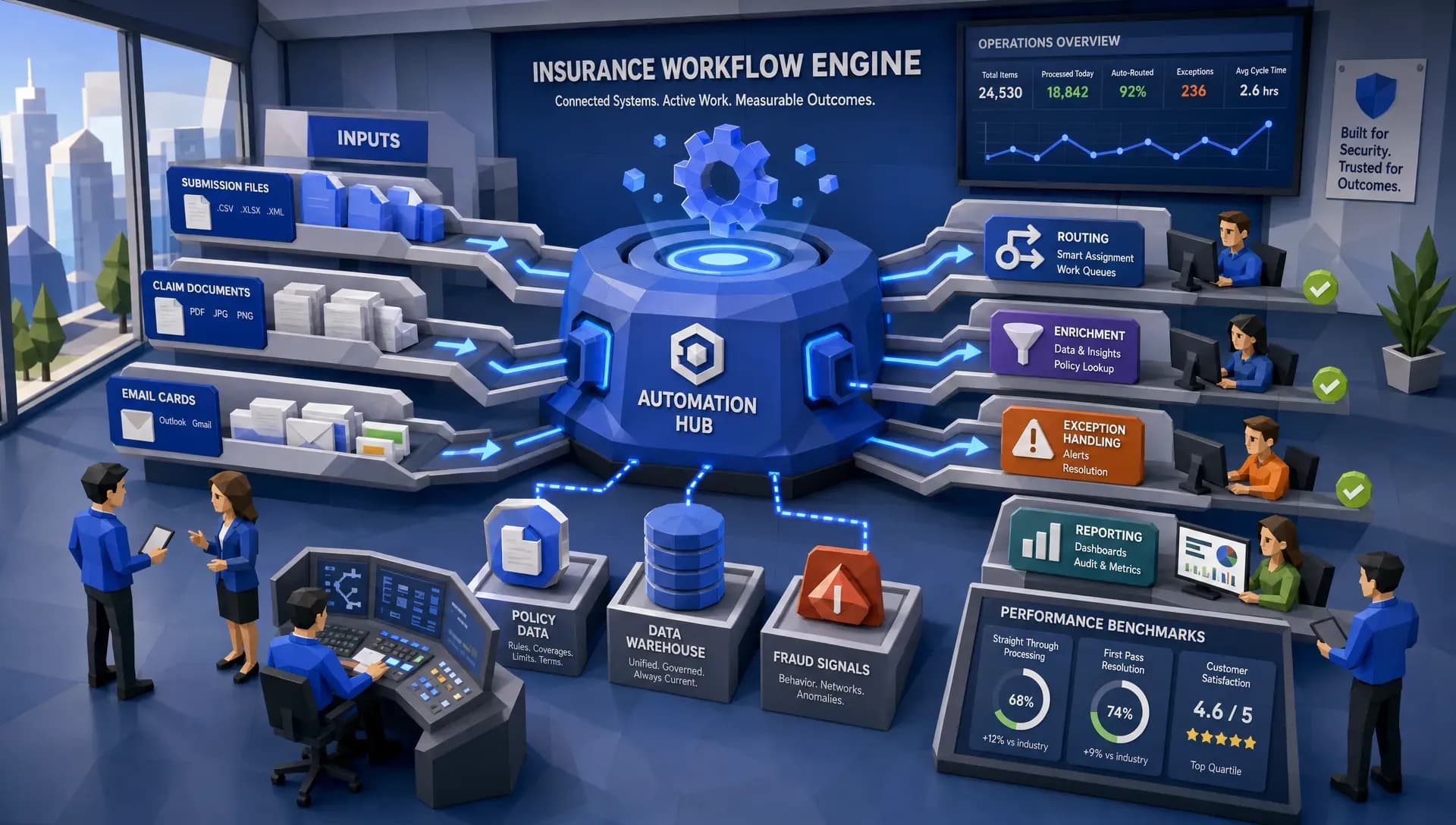
This is where the data warehouse underneath the automation matters. Inaza is built with a unified data warehouse, so the work being automated can also feed dashboards, analytics, and business intelligence. That is important because automation without measurement is just a faster way to remain confused.
The same applies to benchmarking. If you can compare your portfolio, workflow performance, or book characteristics against relevant industry benchmarks, you can tell a better story in portfolio reviews, renewals, and reinsurance conversations. For reinsurance brokers and carrier executives, that narrative can be just as valuable as the workflow savings.
What I would not automate first
Now for the uncomfortable part. Some things should not be first.
I would not start by automating the most complex underwriting judgment in the book. I would not start with a fragile end-to-end workflow that depends on every upstream data source being perfect. I would not start with a dashboard that looks beautiful but is fed by inconsistent manual processes. And I definitely would not start with a vendor demo that cannot survive contact with your messiest broker submission.
If a process is low-volume, highly bespoke, politically sensitive, or poorly understood, be careful. Automating confusion rarely produces clarity. It usually produces faster confusion with a login screen.
The better approach is to choose a workflow with visible pain, clear owners, measurable outcomes, and enough volume to matter. If you are evaluating vendors, this is also how you avoid shelfware. We covered that buying discipline in how to choose insurance software without buying shelfware, and I still think it is one of the most underrated parts of technology selection.
A simple prioritization test
When I am helping a team decide where to begin, I like to ask five questions. You do not need a six-month consulting project to answer them. You need honest operators in the room.
- Where do skilled people spend the most time doing low-skill work?
- Which workflow has the most re-keying, document chasing, or handoffs?
- Where does bad intake cause expensive downstream rework?
- Which process has clear rules for at least 60 percent of cases?
- What data would leadership love to have but cannot trust today?
If one workflow scores high on most of those, start there.
For many MGAs, the answer is submission intake and underwriting triage. For claims-heavy carriers, it may be FNOL and early severity routing. For brokers, it may be placement data capture and renewal follow-up. For reinsurers and portfolio managers, it may be bordereaux ingestion, portfolio analytics, and benchmark reporting.
The exact first workflow depends on the business model. The principle does not change: automate the work that creates cleaner decisions, faster handoffs, and better data.
The best first automation is the one your team will actually use
Commercial insurance software succeeds when it fits the way insurance work actually happens. That means messy files, changing appetites, broker relationships, legacy systems, exceptions, referrals, and audit requirements. Any software can look elegant in a demo environment where every document is named correctly. Real insurance work is less polite.
That is why speed to production matters. A long proof-of-concept can be useful for high-risk projects, but many operational workflows should not require months of back and forth. If the pain is clear and the workflow is well understood, the software should be able to move quickly.
Inaza’s approach is designed around deployable workflows, existing-system integration, configurable automation, 250+ workflow templates, support for all file types, and analytics that come from the work itself. More importantly, it does not require teams to relearn insurance from scratch. That matters because the goal is not to turn underwriters, adjusters, or operations managers into software administrators. The goal is to remove the operational sludge around them.
If I were ranking the first automations for most commercial insurers, my order would be intake, enrichment, triage, follow-ups, claims routing, and reporting. In that order, you build momentum. You clean the inputs. You reduce avoidable delays. You give experts better files. You create data leadership can trust.
That is not the flashiest answer. But in insurance, the unflashy answer is often where the combined ratio quietly improves.
Frequently Asked Questions
What should commercial insurance software automate first? Commercial insurance software should usually automate intake first, especially document capture, data extraction, missing information checks, and routing. These steps create cleaner inputs for underwriting, claims, and reporting.
Should underwriting decisions be automated right away? Not usually. It is better to automate data preparation, enrichment, and triage before automating complex underwriting judgment. Underwriters can make faster and more consistent decisions when files arrive complete and structured.
Where does claims automation fit in the priority list? Claims automation should focus early on FNOL intake, document classification, severity routing, coverage checks, and fraud signal surfacing. These workflows reduce ambiguity and help adjusters focus on the claims that need human attention.
How can insurers avoid buying software that becomes shelfware? Start with a specific workflow, a clear owner, measurable outcomes, and real production data. Avoid buying broad platforms without proving they can solve a painful operational bottleneck your team deals with every week.
Does automation replace underwriters or adjusters? No. The best automation removes repetitive admin work so underwriters and adjusters can spend more time on judgment, negotiation, coverage analysis, relationship management, and complex risk decisions.
Ready to automate the right workflow first?
If your team is buried in submissions, claims files, follow-ups, and reporting workarounds, start with the workflow that creates the most drag. Inaza helps insurers, MGAs, and brokers automate real commercial insurance operations, connect with existing systems, and turn workflow data into usable business intelligence.
Visit Inaza to see how production-ready insurance automation can help your team move faster without adding another layer of operational noise.