Intelligent automation in insurance has no shortage of believers. Claims leaders want faster settlements, underwriters want fewer copy-paste marathons, brokers want fewer black holes, and executives want the savings to show up somewhere other than a slide deck.
Here is my hot take after a decade around insurance operations: a mediocre workflow will make clever automation look dumb.
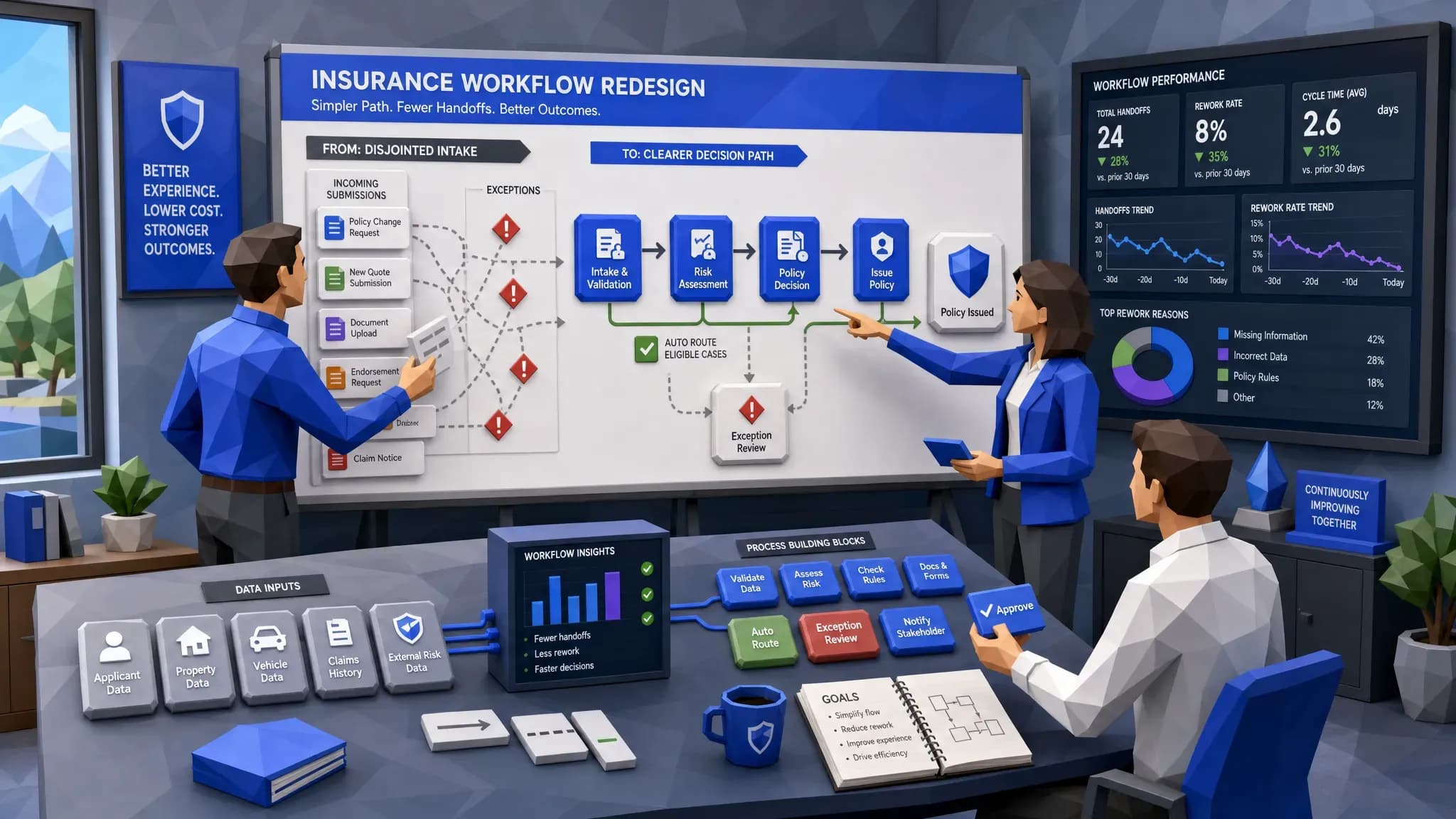
I have seen teams automate an inbox, celebrate for two weeks, then realize every exception still lands with the same senior adjuster who already had 140 items in queue. Congratulations, we built a faster escalator to the same crowded room. The problem was never the inbox alone. The problem was workflow design.
That is why intelligent automation in insurance needs better workflow design before it needs more features, more dashboards, or another three-month committee to pick field names. The winners will be the insurers, MGAs, and brokers who redesign how work moves, how decisions are made, and how data is captured along the way.
The workflow is where automation earns trust
Insurance work is full of judgment. That does not mean every step needs a human. It means we need to be careful about where the human adds value.
McKinsey has estimated that underwriters can spend up to 60% of their time on administrative work rather than risk assessment. Anyone who has watched an underwriter dig through PDFs, broker emails, loss runs, spreadsheets, and third-party portals will not be shocked by that number.
The real issue is that most insurance workflows were never designed. They grew. A new product launched, so someone added a spreadsheet. A regulator asked for a report, so someone added a monthly extract. A carrier partner requested a different field, so someone added a manual check. After a few years, the process looks less like a workflow and more like a well-decorated attic.
When automation is layered on top of that attic, it often speeds up clutter. Better workflow design asks a more useful question: what decision are we trying to reach, and what information is truly needed to reach it?
Bad workflow design has a smell
You can usually smell poor workflow design before you map it.
The same data is keyed into multiple systems. The broker submission is reviewed once for completeness, again for appetite, and again because someone does not trust the first two reviews. Claims notes live in one platform, photos in another, payments in a third, and the reason for delay in someone’s head. A referral rule exists, but nobody remembers who wrote it or whether it still matches the book.
My favorite example came from a commercial auto team I worked with years ago. They had a beautifully maintained spreadsheet for missing submission information. It was color-coded, updated daily, and treated like sacred scripture. The catch was that the same missing information already existed in the broker email thread about half the time. The team was not short on effort. They were short on a workflow that could read, validate, and route information cleanly.
If that sounds familiar, you may find the biggest opportunities in the same places we often see workflow bottlenecks in insurance software: intake, handoffs, referrals, exception queues, and reporting. These are not glamorous areas, which is exactly why they hide so much value.
Start with the decision, then design backward
The best insurance automation projects do not start with a tool. They start with a decision.
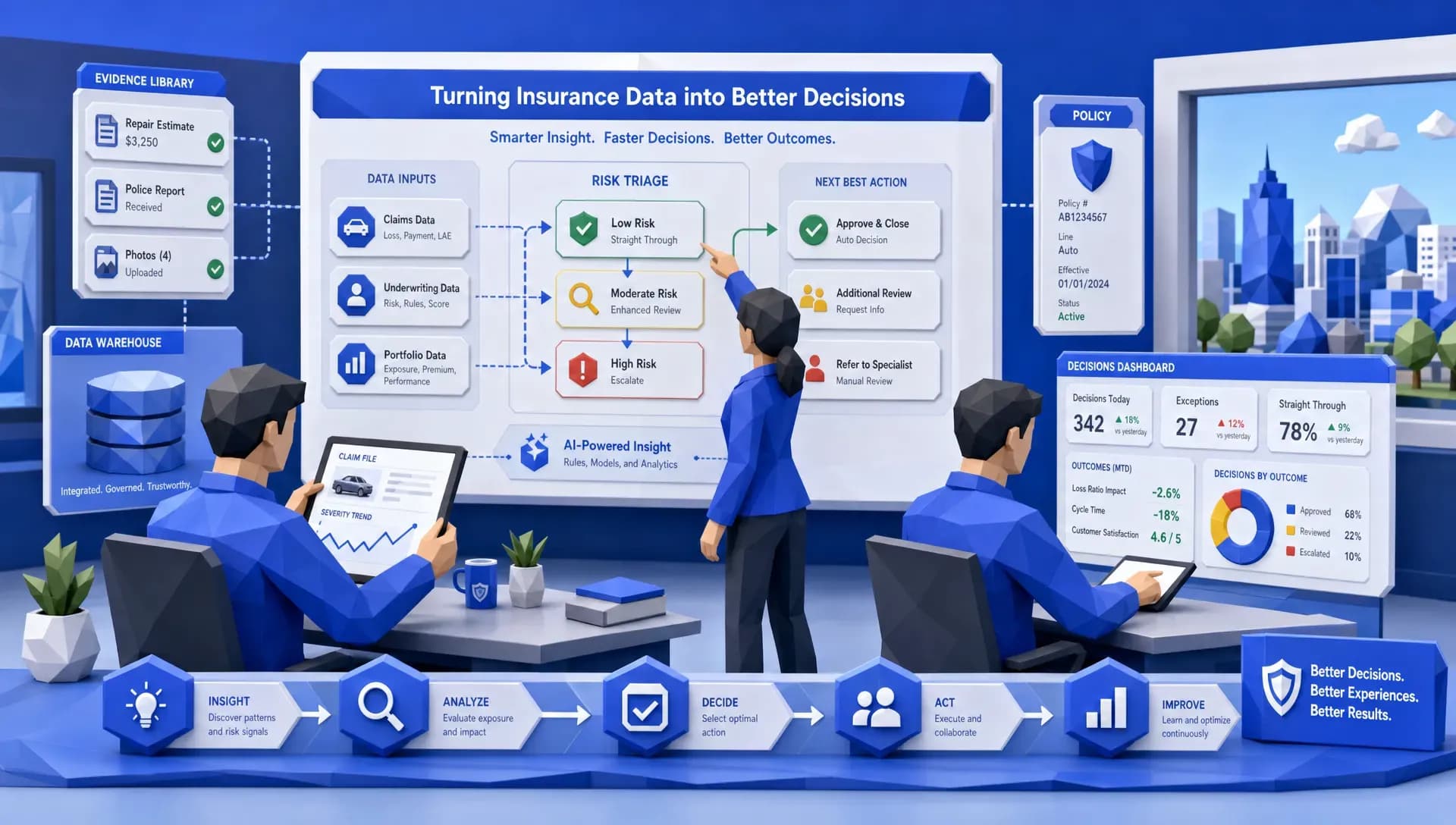
For underwriting, that decision might be whether a submission fits appetite, needs referral, requires more information, or can move to quote. For claims, it might be whether a claim can be fast-tracked, needs fraud review, requires coverage analysis, or should be assigned to a specialist. For customer service, it might be whether the request can be resolved immediately or needs licensed support.
Once the decision is clear, the workflow becomes easier to design. We can define the trigger, the required data, the enrichment sources, the checks, the routing rules, the audit trail, and the point where a human should step in.
That last part matters. Human intervention should be designed, not discovered by accident. If a workflow simply says exceptions go to operations, you have not designed the exception path. You have named a dumping ground.
A better approach is to decide why an item becomes an exception. Is it missing data? Conflicting data? High severity? Suspicious pattern? Out-of-appetite risk? Authority limit? Each reason should have a destination, an owner, and a next best action. That is where automation starts to feel useful rather than noisy.
Rework is the quiet budget killer
Insurance leaders often talk about speed, but I think rework deserves more attention. Rework is where productivity goes to vanish politely.
A claim is touched six times because the first notice of loss did not capture the right details. A submission is reviewed by three people because the appetite rules are not embedded early enough. A bordereau report is rebuilt every month because the data was never captured consistently at the transaction level.
This is why I like beginning with the question of where rework is hiding. You do not need to automate everything. You need to find the spots where the same work is being corrected, repeated, chased, or reconciled.
In practical terms, that means workflow design should capture data as work happens. If the automation extracts a driver’s license number, loss date, coverage detail, repair estimate, or risk location, that data should not only move the task forward. It should also become part of the insurer’s operating memory.
That is where automation and analytics finally meet in a useful way. If the workflow captures clean data at the moment of work, the business can see which brokers submit complete files, which claim types stall, which referral rules create noise, and which products generate avoidable manual effort.
Claims automation should be designed for the messy middle
Claims is the area where poor workflow design becomes painfully visible to customers. Nobody files a claim because they are having a great day. If the process then requires repeated document requests, unclear status updates, and slow handoffs, the experience gets worse fast.
J.D. Power’s 2024 U.S. Auto Claims Satisfaction Study highlights how cycle time and communication shape claimant satisfaction. That matches what I have seen on the ground. A customer may forgive a fair but slow repair if they understand what is happening. They rarely forgive silence.
The workflow design challenge is that claims are not all the same. A low-severity windshield claim should not travel the same road as a litigated bodily injury claim. A clean property claim with complete photos should not wait behind a suspicious file with mismatched documents.
Good claims automation separates the routine from the risky. It reads incoming documents, checks for completeness, enriches the file where appropriate, flags inconsistencies, routes the claim by severity and complexity, and keeps a clear record of why each action happened.
Fraud makes this even more important. Verisk’s 2025 fraud report points to rising concern around digitally enabled fraud, including manipulated images and synthetic documentation. Whether you are a claims adjuster or fraud analyst, the answer is not to slow every claim down. The answer is to design workflows that spot the right signals early and move clean claims faster.
Underwriting automation should protect judgment time
Underwriters do not need automation because they cannot underwrite. They need automation because too much of their day is spent preparing to underwrite.
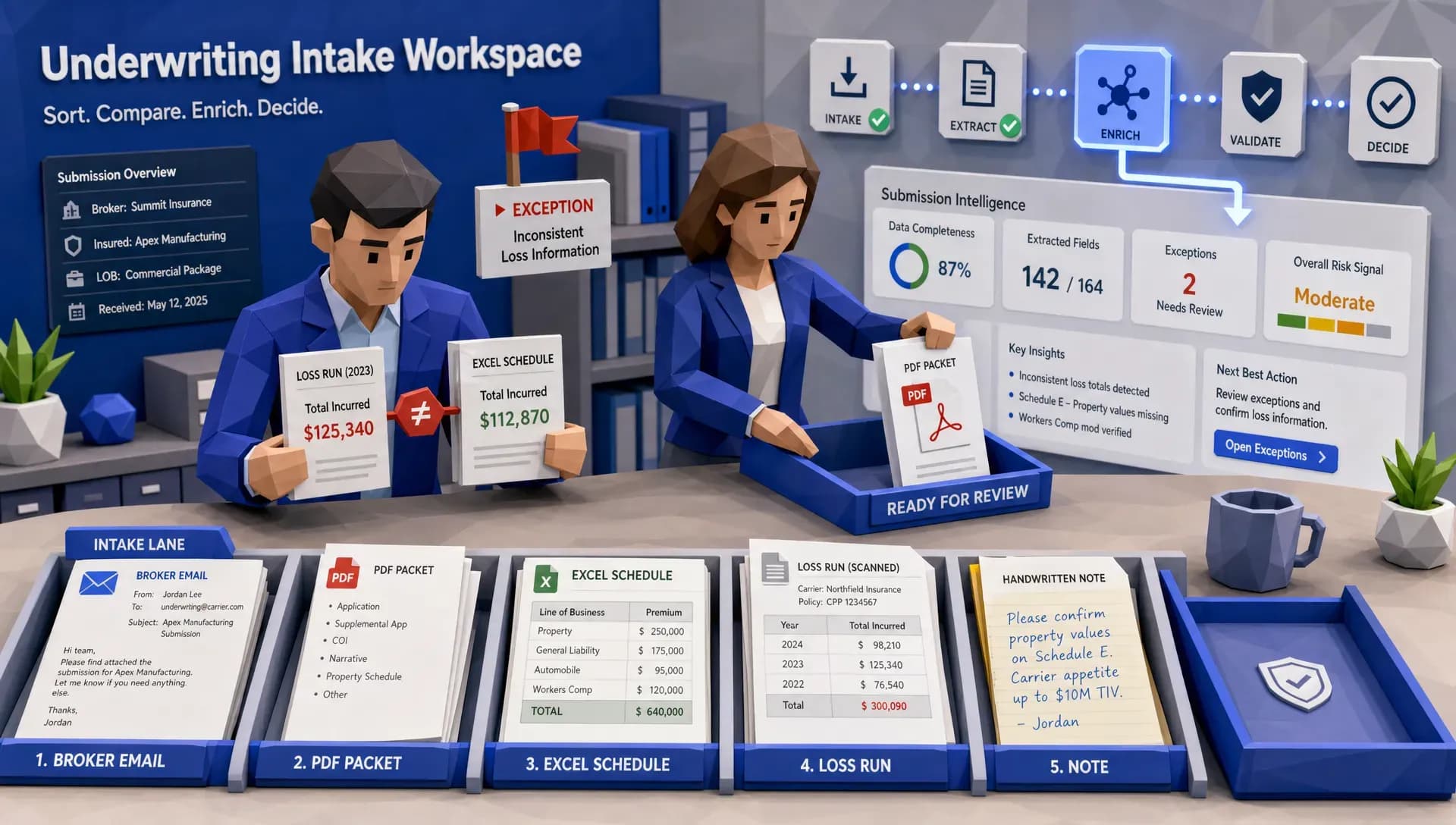
A strong underwriting workflow should make the first review count. That means the submission is captured, classified, checked for completeness, enriched with relevant third-party data where appropriate, and compared against appetite before it lands in an underwriter’s queue.
If a submission is missing critical information, the workflow should request it early. If the risk is clearly outside appetite, the team should know before anyone spends half an hour reading attachments. If the risk is promising but unusual, it should be referred with context, not tossed over the fence with a vague note.
This is where intelligent automation in insurance becomes practical. It does not replace underwriting judgment. It gives that judgment a cleaner runway.
For teams looking for examples across underwriting and claims, it helps to compare patterns in real-life examples of intelligent automation in insurance. The useful lesson is usually the same: the workflow has to make the decision easier, faster, and more explainable.
Your tech stack can quietly sabotage the workflow
I have seen perfectly sensible workflow designs collapse because the surrounding systems were messy. The policy admin system was treated as the source of truth, except when finance disagreed. The CRM had duplicate producer records. The claims platform had the notes, but the reporting team trusted a spreadsheet more. Everyone had a reason. Nobody had a clean workflow.
Before insurers add another layer of automation, they should look at the commercial and operational shape of their software stack. If Salesforce sits in the middle of your broker, customer, or service workflow, getting control of licenses, modules, and renewal terms can matter as much as process mapping. A focused Salesforce renewal and SKU review can help uncover unused spend and avoid building around tools that are poorly matched to the workflow.
This is not procurement trivia. Workflow design depends on knowing which systems should do what, where data should live, and which handoffs should disappear. If the technology estate is bloated or unclear, automation often becomes a workaround for software decisions nobody wants to revisit.
Better workflow design needs a data backbone
Here is where I will wave the Inaza flag, because this is exactly the type of problem we built for.
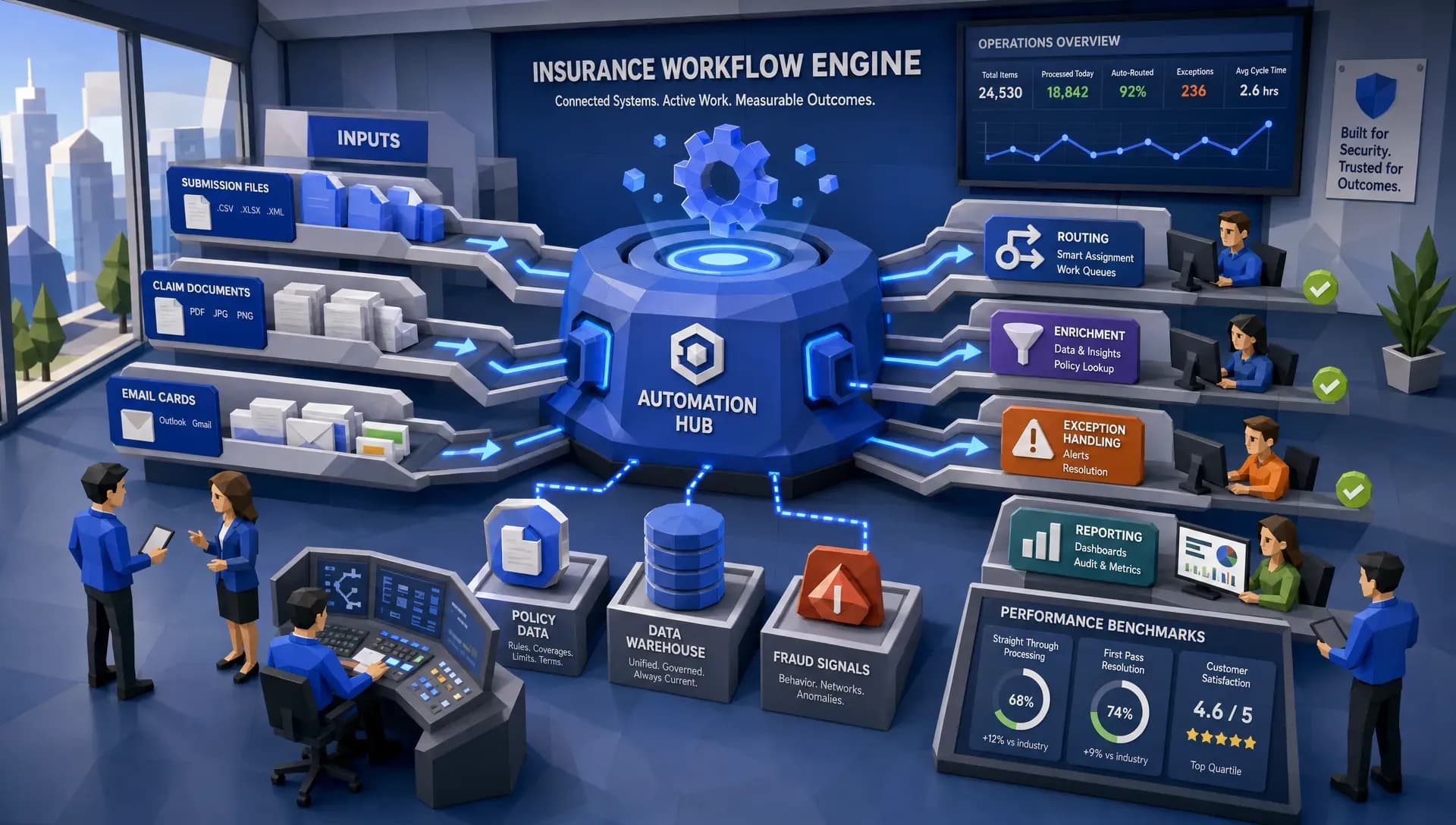
Inaza’s platform is designed to help insurers, MGAs, and brokers automate underwriting, claims, customer service, and operations while integrating with existing systems. The workflow layer matters, but the data layer underneath matters just as much.
When automations capture key data points as they run, leaders can move beyond anecdotal operations management. Instead of asking why quote turnaround feels slower this month, they can see where submissions are stalling. Instead of debating whether a claims queue is overloaded, they can see the drivers of delay. Instead of manually assembling performance packs, teams can use dashboards fed by the work itself.
Inaza also supports customizable workflows, 250+ workflow templates, all file types, and pre-built API templates for enrichment sources such as Verisk, LexisNexis, and HazardHub. For insurers that want market context, industry benchmarks in the system can help teams compare performance and build stronger narratives for portfolio reviews, renewals, and reinsurance discussions.
The part I especially like is speed to value. Too many automation projects die in the long proof-of-concept swamp. Inaza is built to let insurers deploy their own workflows without the usual back and forth, including production-ready workflow design on a single call when the use case is clear.
The best automation feels boring
This may sound odd, but the best insurance automation is often boring in the nicest possible way.
The submission arrives and the right data is already there. The claim is routed correctly the first time. The referral contains the reason, context, and supporting evidence. The dashboard agrees with the operational reality. The underwriter or adjuster spends more time on judgment and less time on scavenger hunts.
Nobody throws a parade for that. They simply get home closer to dinner time, and the business runs better.
That is the standard we should be aiming for. Not louder automation. Better-designed work.
Frequently Asked Questions
What is intelligent automation in insurance? Intelligent automation in insurance uses automation, data capture, and decision rules to streamline tasks across underwriting, claims, service, and operations. The goal is to reduce manual effort, improve routing, and support faster, more consistent decisions.
Why does workflow design matter so much? Workflow design determines how work moves from intake to decision. If the process has unclear ownership, duplicate data entry, weak exception handling, or poor handoffs, automation will usually amplify those problems instead of fixing them.
Where should insurers start with workflow automation? Start where rework is highest. Common starting points include submission intake, FNOL, document review, claims triage, referral routing, customer service requests, and recurring operational reporting.
Does automation replace underwriters or claims adjusters? No. Good automation removes repetitive preparation, routing, and data entry so underwriters and adjusters can spend more time on judgment, negotiation, investigation, and customer communication.
Build workflows that make automation worth it
If your team is exploring intelligent automation in insurance, start with the workflow. Find the messy handoffs, the repeated touches, the hidden rework, and the decisions that need cleaner data.
Then make the technology serve that design.
Inaza helps insurers, MGAs, and brokers automate underwriting, claims, customer service, and operations with customizable workflows, system integration, real-time analytics, and a unified data warehouse underneath. If you want automation that does more than move tasks around faster, better workflow design is the place to begin.